Stockity Mobile App
Download the Stockity id app from official sources using the button below. Or explore the features of mobile trading in our overview.
What is the Stockity Trading App
Stockity is a proprietary mobile platform focused on day trading and CFD multipliers.
The app (version 6.6.2) occupies 29.5 MB and offers full functionality, matching its web terminal.
It supports over 70 instruments across currencies (EUR/USD, GBP/USD, USD/JPY), commodities (gold, silver, oil), indices (S&P 500, NASDAQ, European markets), shares (Apple, Tesla), and cryptocurrencies indices.
Trading uses fixed-time trades with expirations from 5 seconds to 60 minutes, including ultra-short 5-second options for scalpers and standard turbo options for longer strategies.

How to Download Stockity App for Android and iOS
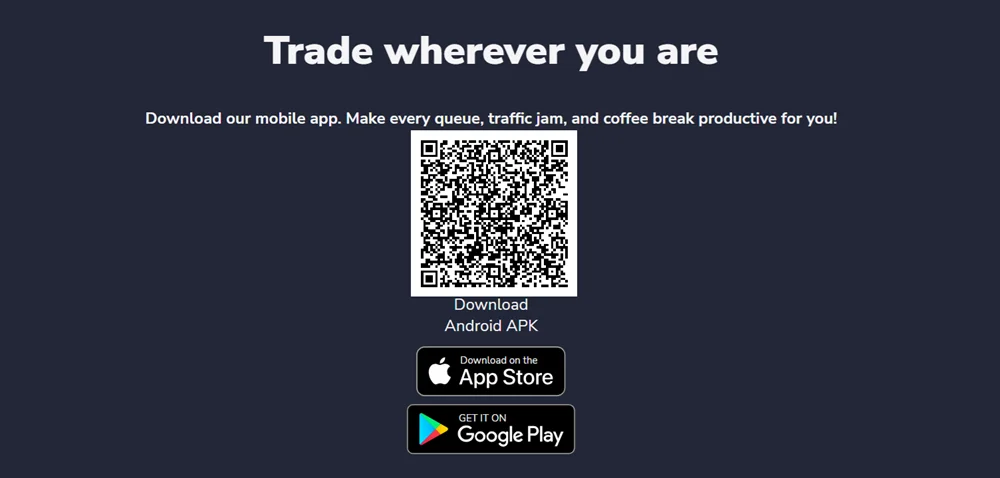
To download the app, visit the official Stockity website using our button below. Scroll down the page and choose the appropriate download option (see the example screenshot below): the Android app via Google Play, the iOS app, or scan the QR code to get the app download link.
If the app is unavailable in Google Play in your region due to regional restrictions, or if Stockity has been removed from the app store because of policy changes, you can install the Stockity web app on your mobile device’s home screen. This allows you to use the platform directly through your browser without needing to download it from an app store.
Android Installation Process
Step-by-Step Android Installation:
- Register on the official Stockity Id website. Log in to your account.
- In your account menu, find the mobile app section.
- Follow the official link to Google Play.
- Download and install the Stockity app from Google Play.
- Launch the app and log in to your account to continue.
Or, download the APK file directly, bypassing Google Play.
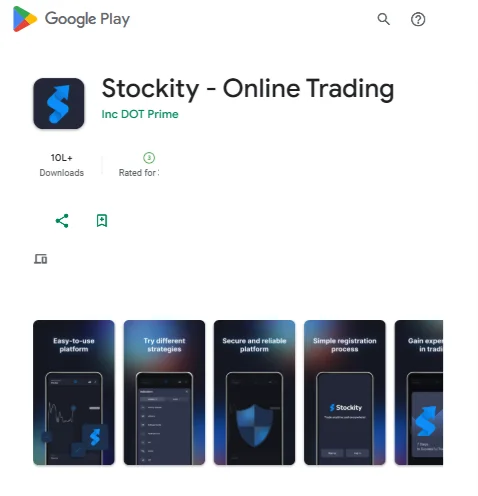
The APK installation method requires enabling “Install from Unknown Sources” in Android settings. This security setting change is standard practice for apps distributed outside official app stores. Users should verify the download source matches the official Stockity domain to avoid malicious software.
Android version compatibility extends to devices running Android 5.0 and higher, covering most smartphones manufactured after 2014. The app’s 29.5 MB size includes 24 integrated libraries supporting various trading functions, payment processing, and real-time data feeds.
iOS Download and Setup
iOS users can access Stockity through the official App Store, though availability may vary by geographic region. The installation process follows standard App Store procedures with additional verification steps for financial applications.
iOS Installation Steps:
- Open the App Store on iPhone or iPad
- Search for “Stockity” in the search bar
- Verify the developer name matches “Stockity Mobile”
- Tap “Get” to begin the download process
- Authenticate using Face ID, Touch ID, or Apple ID password
- Wait for automatic installation completion
- Open the app and complete initial setup
iOS security protocols automatically scan the app during installation, providing additional protection against malicious code. The app requires iOS 12.0 or later, ensuring compatibility with devices from iPhone 6s onwards. iPad users benefit from the larger screen real estate for chart analysis and multi-asset monitoring.
Mobile App Features and Trading Tools
Trading Interface and Execution
The Stockity mobile interface prioritizes simplicity without sacrificing functionality. The main trading screen displays the selected asset’s price chart with clearly marked entry points for Call and Put options. Trade amount selection uses intuitive slider controls or manual input, with minimum trades starting at $1.
Chart types include line, mountain, and candlestick formats across multiple timeframes. Technical indicators encompass moving averages, RSI, Bollinger Bands, and MACD oscillators. Drawing tools allow trend line analysis, support and resistance marking, and Fibonacci retracement calculations directly on mobile screens.
Order execution occurs instantly upon confirmation, leveraging the broker’s market maker model. The platform displays real-time profit/loss calculations during trade duration, showing potential payouts before expiration. Successful trades typically yield 80-95% returns depending on asset volatility and market conditions.
Account Management Capabilities
| Function | Mobile App | Web Platform |
| Live Trading | ✓ | ✓ |
| Demo Account | ✓ | ✓ |
| Deposits | ✓ | ✓ |
| Withdrawals | ✓ | ✓ |
| KYC Verification | ✓ | ✓ |
| Technical Analysis | Limited | Full |
| Multi-Asset Monitoring | Basic | Advanced |
| Tournament Participation | ✓ | ✓ |
The mobile app supports complete account lifecycle management from registration through withdrawal processing. Users can switch between demo and live accounts using the account selector in the top navigation bar. Demo accounts receive $10,000 in virtual funds for practice trading without financial risk.
Deposit functionality supports multiple payment methods including bank cards, cryptocurrencies, and e-wallet services. Binance Pay integration allows direct transfers from Binance accounts, while traditional Visa and Mastercard processing handles credit card transactions. Minimum deposits start at $10 across all payment methods.
Performance and Reliability
Mobile performance depends heavily on device specifications and network connectivity. The app requires stable internet for real-time price feeds and instant trade execution. 4G/5G networks provide optimal performance, while WiFi connections may introduce latency during peak usage periods.
Battery optimization features prevent excessive power drain during extended trading sessions. The app includes background refresh settings allowing price monitoring without keeping the screen active. However, active trading with frequent chart updates will impact battery life significantly.
Memory usage remains efficient at approximately 150-200 MB during normal operation. The app’s 24 integrated libraries handle various functions from charting to payment processing without requiring external dependencies.
What can we say about the outcome?
The Stockity id app provides a functional and accessible entry point into online trading with its low $10 minimum deposit and user-friendly interface. The platform successfully translates web terminal functionality to mobile devices while maintaining essential features like demo trading, multiple asset classes, and comprehensive account management.
However, traders must carefully consider the unregulated nature of the broker and the inherent risks of digital trading. The mobile platform works best as part of a broader trading strategy that includes proper risk management, continuous education, and realistic profit expectations. For beginners, extensive demo trading and small position sizes are essential before committing significant capital to live trading.
FAQ About App
Is the Stockity mobile app free to download and use?
Yes, the Stockity mobile app is completely free to download for both Android and iOS devices. The app itself has no subscription fees or usage charges. However, you need to deposit a minimum of $10 to start live trading, and trading involves financial risk where you can lose your invested amount.
Why isn't Stockity available on Google Play Store?
Google has implemented stricter policies regarding binary options and financial trading apps, causing temporary removal from the Play Store. Android users must download the APK file directly from the official Stockity website. This is a common situation for many binary options brokers and doesn’t indicate any issues with the app itself.
Is my money safe with this app?
The platform implements standard security measures including SSL encryption, two-factor authentication, and segregated account structures. However, the broker is not regulated by major financial authorities, which means there’s no external oversight or compensation scheme protection. Only invest money you can afford to lose, and consider this an unregulated, high-risk trading environment.
Can I use the demo account on the mobile app?
Yes, every Stockity user receives a demo account with $10,000 in virtual funds that works identically on mobile and web platforms. The demo account includes all trading features, real-time price feeds, and technical analysis tools without any financial risk. You can switch between demo and live accounts instantly within the app.
Sign Up and Get a Welcome Bonus
Sign up now and get a bonus on your first deposit! Any doubts? Then just test the platform on a free demo account.
* Risk Warning: Online trading may involve significant financial risks including the risk of losing all funds on your trading account. Please, estimate all the risks and get advice from an independent financial advisor before using Stockity services. We also recommend not to invest funds you can’t afford.